The DCMA 14-Point Assessment is the most widely used schedule health check in construction and defense work. Prime contractors run it on their subcontractors, owners' consultants run it on baselines, and almost every schedule analysis tool on the market reports it. It is also widely misunderstood: it is a set of fourteen tests of how a CPM schedule is built, published by the Defense Contract Management Agency for analysts, and it was never written as a contract requirement.
This article sets out each of the fourteen checks with the threshold DCMA gives for it, says what each one actually counts, and shows how 44 real Primavera P6 schedules from the public domain score against them. The last part explains where the DCMA checklist and a federal construction specification disagree. That gap is where most surprises come from.

Where the fourteen points come from
The last version DCMA published is section 4 of the Earned Value Management System (EVMS) Program Analysis Pamphlet, DCMA-EA PAM 200.1, October 2012. The pamphlet is clear about how it should be read:
The identification of a "red" metric is not in and of itself synonymous with failure but rather an indicator or a catalyst to dig deeper in the analysis for understanding the reason for the situation.
The U.S. Government Accountability Office says the same in its Schedule Assessment Guide (GAO-16-89G):
DCMA's 14PA thresholds are not compliance triggers. Rather, they are used as a starting point toward an objective analysis of the schedule.
So a schedule that is outside a DCMA threshold is a schedule with a question to answer, not a schedule that is wrong. Keep that in mind for the results further down.
The fourteen checks and their thresholds
The pamphlet excludes four kinds of activity from the population of most checks: "Completed tasks, LOE tasks, Subprojects (called Summary tasks in MS Project), and Milestones." Every percentage below is a share of the incomplete, discrete activities that remain.
| # | Check | What is counted | DCMA threshold |
|---|---|---|---|
| 1 | Logic | Incomplete activities missing a predecessor, a successor, or both | 5% or fewer |
| 2 | Leads | Relationships with a negative lag | 0 |
| 3 | Lags | Relationships with a positive lag | 5% or fewer |
| 4 | Relationship types | Share of relationships that are Finish-to-Start | 90% or more |
| 5 | Hard constraints | Activities with Must Finish On, Must Start On, Start No Later Than or Finish No Later Than | 5% or fewer |
| 6 | High float | Total float over 44 working days | 5% or fewer |
| 7 | Negative float | Total float below zero | 0 (ideally) |
| 8 | High duration | Baseline duration over 44 working days | 5% or fewer |
| 9 | Invalid dates | Forecast dates before the data date, or actual dates after it | 0 |
| 10 | Resources | Activities with no dollars or hours assigned | No threshold; reported |
| 11 | Missed tasks | Activities that finished, or will finish, after their baseline finish | 5% or fewer |
| 12 | Critical path test | Does a deliberate delay on the critical path move the finish by the same amount? | Pass / fail |
| 13 | CPLI | Critical Path Length Index | 0.95 or more |
| 14 | BEI | Baseline Execution Index | 0.95 or more |
Two details are worth knowing before you run the check on your own file. First, the "44 working days" in checks 6 and 8 is two months of working time, not 44 calendar days. Second, checks 11 and 14 compare the current schedule with its baseline. From a single file they cannot be evaluated at all, and a tool that reports them from one file is guessing.
What 44 public P6 schedules show
To see how the checklist behaves on real files, we ran it on every Primavera P6 schedule in our public research set that holds 100 or more activities. That is 44 schedules, with a median size of 608 activities and the largest at 19,202. These are schedules published openly by owners, contractors and software projects. None of them is a customer's file. The measurement is reproducible from the script that produced it.
| Result | Schedules |
|---|---|
| Inside every threshold that can be graded from one file | 2 of 44 |
| Outside the threshold on one to three checks | 10 of 44 |
| Outside the threshold on four or more checks | 32 of 44 |
| Set to Retained Logic, as most specifications require | 38 of 44 |
Three findings stand out.
High float is the most common result, and it is usually a logic problem. Eighty percent of the schedules have more than 5% of their remaining work floating more than two months. DCMA's own explanation is that such float "may be a result of missing predecessors and/or successors." A long run of activities that only connect to the end milestone looks like flexibility and is really an open end.
Finish-to-Start below 90% is common in real construction schedules. Start-to-Start and Finish-to-Finish pairs are a legitimate way to model overlapping trades, and heavily overlapped work will push the share down. This is a case where the threshold invites a question rather than an answer: are the overlaps real, and does each SS pair have its matching FF?
Only two schedules were clean on everything. That is the clearest evidence that the checklist is a list of questions. A schedule outside one or two thresholds with a reason for each is not a bad schedule.


Each check, and how to fix it in Primavera P6
1. Missing logic
Every incomplete activity needs at least one predecessor and one successor, except the project start and the project finish. In P6, group by WBS and add the Predecessors and Successors columns, then filter for blanks. Tie each open end to the activity that actually drives or follows it, not to the finish milestone.
2. Leads (negative lag)
A lead says the successor may start before its predecessor has finished. DCMA wants none, because a lead hides overlap inside a relationship where it cannot be statused. Replace each lead with a Start-to-Start relationship and a positive lag, or split the predecessor into two activities.
3. Lags
Lags are not forbidden, but more than 5% of relationships carrying one is a signal that durations are being adjusted through the logic. A lag is invisible on the bar chart and does not progress. Where the lag represents work, such as curing, a review period or delivery, make it an activity.
4. Relationship types
At least 90% of relationships should be Finish-to-Start. Below that, check every Start-to-Start relationship has a matching Finish-to-Finish relationship, so the successor cannot finish before its predecessor. Start-to-Finish should almost never appear. The pamphlet calls it "counter-intuitive."
5. Hard constraints
Must Start On, Must Finish On, Start No Later Than and Finish No Later Than stop activities from moving with their logic. Keep them for contract dates only, and use soft constraints (Start On or After, Finish On or After) where a date is a floor rather than a fixed point.
6. High float
Over 44 working days of total float on more than 5% of the remaining work. Sort by Total Float, descending, and look at the top of the list. In most schedules the cause is a missing successor.
7. Negative float
Negative float means the schedule cannot meet a date it is constrained to. DCMA asks that every activity with negative float has "an explanation and a corrective action plan." It is a result to report, not something to remove by editing constraints.
8. High duration
Baseline durations over 44 working days on more than 5% of the remaining work. Long activities cannot be statused accurately month to month. Break them into steps that each produce something you can see on site.
9. Invalid dates
A forecast start or finish before the data date, or an actual date after it. In P6 this usually means the schedule was not recalculated after statusing, or an actual date was typed in the future. Reschedule (F9) at the correct data date and check the actuals.
10. Resources
Activities with a duration but no dollars or hours. DCMA gives no pass mark, because not every contract requires a resource-loaded schedule. If yours does, every discrete activity should carry its share.
11. Missed tasks
Of the activities that should have finished by the data date according to the baseline, the share that finished late or will finish late. Needs the baseline schedule to compare against.
12. Critical path test
DCMA's test adds a deliberate delay to an activity on the critical path and checks that the project finish moves by exactly the same amount. If it does not, the logic is broken somewhere. A related check that needs no modelling is whether the critical path runs unbroken from the data date to the finish milestone. That is the version reported in the chart above.
13. Critical Path Length Index (CPLI)
CPLI is the critical path length plus total float, divided by the critical path length. A value of 1.00 means the project has to achieve exactly one day of work for every day that passes. Below 0.95, the pamphlet says, "should be considered a flag."
14. Baseline Execution Index (BEI)
BEI is the number of activities completed, divided by the number the baseline planned to complete by now. Below 0.95 means work is being finished more slowly than planned. Like missed tasks, it needs the baseline.
Where DCMA 14 and a federal construction specification disagree
A schedule built to pass DCMA can still be returned by the owner, because the owner's specification is the requirement and DCMA is not. The Corps of Engineers' scheduling section, UFGS 01 32 01.00 10, is stricter than DCMA in several places:
| Topic | DCMA 14-Point | USACE UFGS 01 32 01.00 10 |
|---|---|---|
| Activity duration | Up to 5% over 44 working days | "Non-procurement activities Original Durations (OD) are not to exceed 20 workdays or 30 calendar days." (3.3.2) |
| Open ends | Up to 5% missing logic | "Only two open ended activities are allowed" (3.3.11) |
| Leads | 0 | "Leads (negative lags) are prohibited." (3.3.16) |
| Start-to-Finish | Rarely, with justification | "Start to Finish (SF) relationships are prohibited." (3.3.16) |
| Constraints | Up to 5% hard constraints | "Mandatory constraints that ignore or affect network logic are prohibited." (3.3.8) |
The duration rule is the one that catches most contractors. A 30-day activity passes DCMA without comment and breaks 3.3.2. We cover it in detail in The USACE 20-workday rule.
Can I run the DCMA 14-point assessment in Excel?
Yes. The pamphlet itself describes counting with MS Excel, and many schedulers export a P6 activity table and the relationship table and count by hand. The difficulty is not the arithmetic but the population. You need to exclude completed activities, level-of-effort and WBS summary activities and milestones, and include the relationships to and from those activities correctly. Different tools count these differently, and that is the most common reason two DCMA reports on the same file disagree.
Frequently asked questions
What is the DCMA 14-Point Assessment?
A set of fourteen tests of a CPM schedule's structure — logic, leads, lags, relationship types, constraints, float, durations, dates, resources, baseline performance and the critical path — published by the Defense Contract Management Agency in DCMA-EA PAM 200.1 (October 2012).
Is the DCMA 14-point check a contract requirement?
Not by itself. The GAO's Schedule Assessment Guide states that DCMA's thresholds are not compliance triggers but a starting point for analysis. What a federal construction contract requires is set by the scheduling section it names, such as UFGS 01 32 01.00 10 for the Corps of Engineers.
What are the DCMA 14-point thresholds?
Missing logic, lags, hard constraints, high float, high duration and missed tasks: 5% or fewer. Leads, negative float and invalid dates: none. Finish-to-Start relationships: 90% or more. CPLI and BEI: 0.95 or more. The critical path test is pass or fail, and resources have no threshold.
Can a schedule pass DCMA 14 and still be rejected?
Yes. A federal construction specification can be stricter than DCMA. The Corps of Engineers limits non-procurement activities to 20 workdays where DCMA tolerates up to 5% of activities over 44 working days.
Does the DCMA check work on a Microsoft Project schedule?
The fourteen tests are independent of the software. The pamphlet was written with MS Project and Open Plan in mind, and the same tests apply to a Primavera P6 schedule.
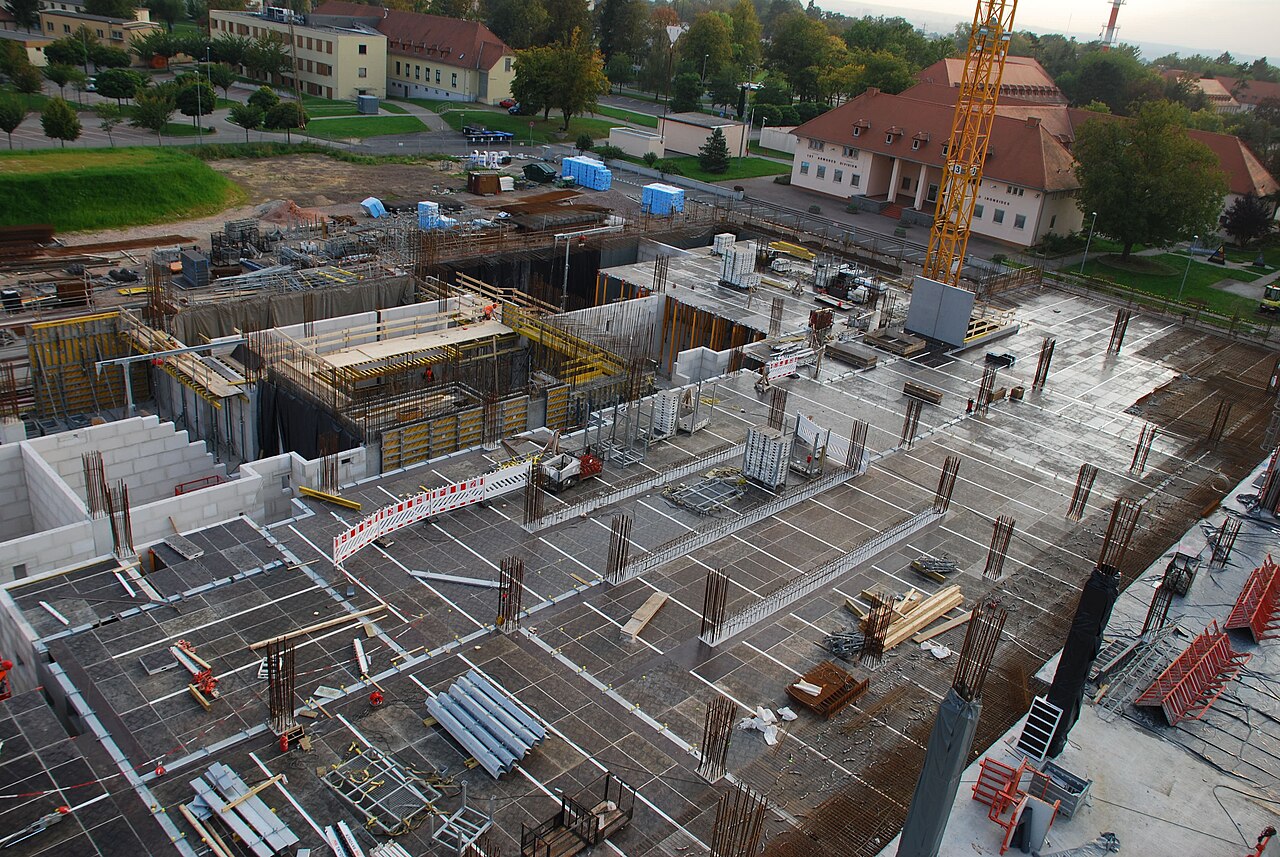
Photographs from the U.S. Army Corps of Engineers are public domain. Their use here does not imply endorsement by the U.S. Army, the Corps of Engineers or the Department of Defense, and Structuraline is not affiliated with any of them.
Sources
- Defense Contract Management Agency, Earned Value Management System (EVMS) Program Analysis Pamphlet, DCMA-EA PAM 200.1, October 2012, section 4.0 and sections 3.1.2.3–3.1.2.4.
- U.S. Government Accountability Office, Schedule Assessment Guide: Best Practices for Project Schedules, GAO-16-89G, December 2015, Appendix VII.
- Mosaic Projects, DCMA 14-Point Assessment Metrics, White Paper WP1088 (on how tools count the population differently).
- Unified Facilities Guide Specifications, UFGS 01 32 01.00 10 Project Schedule, paragraphs 3.3.2, 3.3.8, 3.3.11 and 3.3.16.
- Structuraline, DCMA 14-point measurement of 44 public P6 schedules, 3 November 2026.